 By Nirmal Lashkari · Founder · Indore, Madhya Pradesh, India
$400,000 home price with a 20% down payment produces an $80,000 down payment and a $320,000 loan amount. These figures follow the calculator’s default inputs and the standard allocation of the purchase price between the upfront payment and financed balance.
Down payment: $80,000.00

The down-payment calculator answers a deliberately focused question: given a home price and a down-payment percentage, how much cash is allocated to the purchase up front, and how much remains to borrow? Those are the two numbers shown in the result panel. The tool does not attempt to estimate a complete monthly housing budget, lender approval, closing costs, or mortgage insurance. Keeping that boundary clear makes the result useful rather than falsely precise.
The relationship is direct. A larger percentage increases the down payment and reduces the loan amount by the same dollar amount. On a $400,000 home, 20% means $80,000 down and a $320,000 loan. The calculator is therefore a fast way to turn a percentage someone has mentioned into an amount that can be compared with available savings, expected financing, and the rest of the cash needed to complete a purchase.
That separation matters because the down payment is only one part of the money required. A buyer may also need funds for closing charges, prepaid items, moving, immediate maintenance, and a reserve. The output is best treated as the first line in a cash plan, not as a statement that $80,000 is the entire amount required to buy the example home.
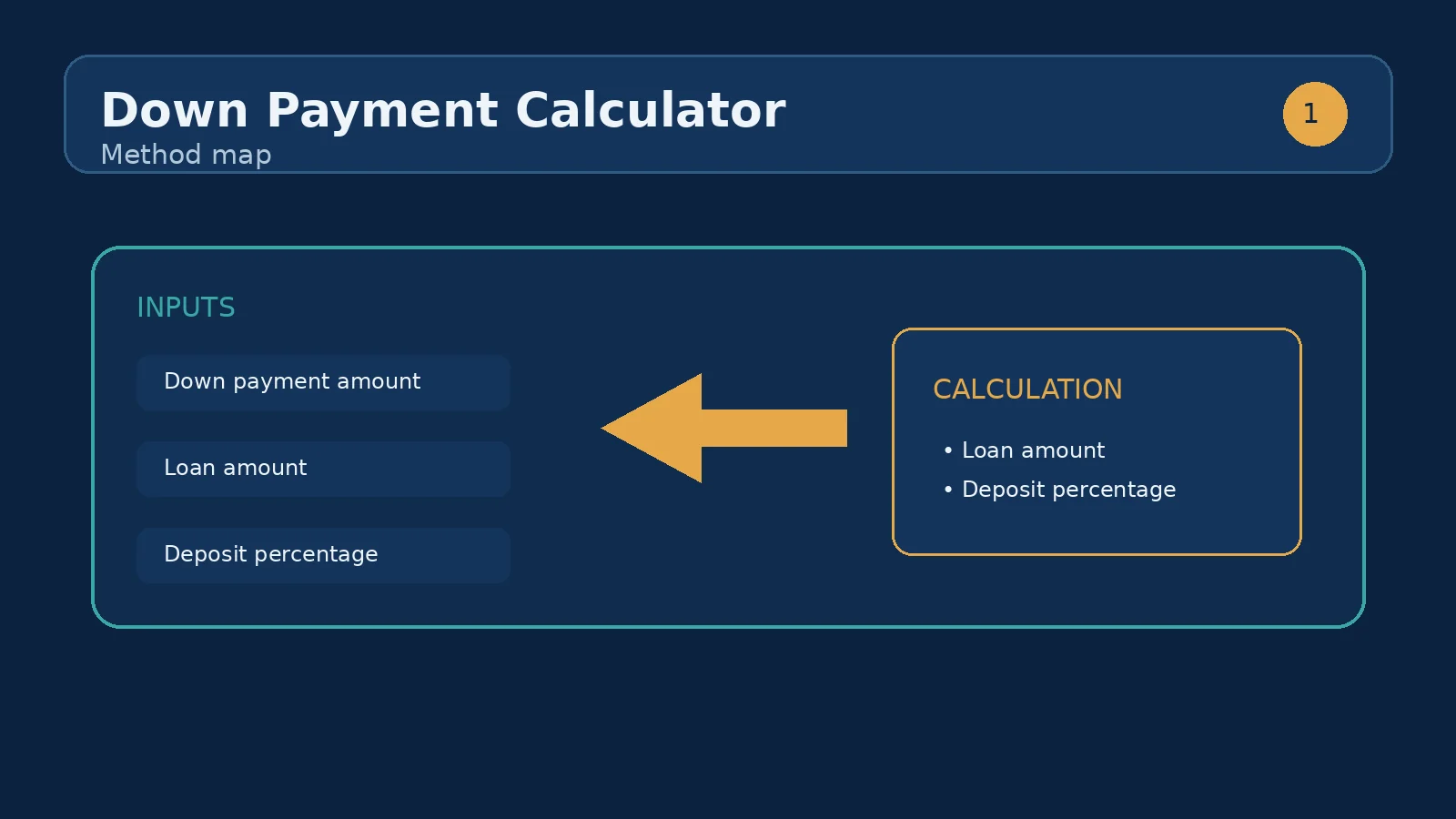
The component has two editable inputs. Home price is a currency field with a minimum of zero. Down payment is a percentage field ranging from 0 to 100. Internally, the calculation multiplies home price by the percentage expressed as a decimal. It then subtracts that down payment from the home price to obtain the loan amount.
In formula form, down payment = home price × (percentage ÷ 100), while loan amount = home price − down payment. At 0%, the down payment is $0 and the loan amount equals the full price. At 100%, the down payment equals the price and the loan amount is $0. Intermediate values preserve the same one-for-one relationship: every additional $1 placed into the down payment removes $1 from the calculated loan amount.
For a factual in-form example, enter $400,000 as the home price and 20 as the down-payment percentage. The result should read $80,000 for Down payment and $320,000 for Loan amount. If the percentage is changed to 12.5, the same price produces $50,000 down and $350,000 to borrow. Currency formatting affects how the values are displayed, while the underlying relationship remains arithmetic.
The emphasized Down payment result is the dollar value represented by the entered percentage. It is the amount the calculator assigns to the up-front contribution against the purchase price. The Loan amount result is the residual price after that contribution. Read the pair together: a down payment without its remaining loan can make a purchase look more affordable than the financing obligation actually is, while a loan amount without the cash requirement hides the liquidity hurdle.
The outputs can also be read as a simple loan-to-value lens. If the down payment is 20%, the residual loan is 80% of the price. If the down payment is 5%, the residual loan is 95% of the price. This is not a separate output in the component, and the tool does not apply a lender’s pricing rules to it, but the relationship helps explain why changing the percentage changes the borrowing requirement.
Do not interpret Loan amount as a guaranteed offer. It is not a promised interest rate, term, payment, approval decision, or total cost of borrowing. A lender may use a different valuation, include or exclude particular costs, or apply product-specific eligibility rules. Use this result to frame a conversation and compare scenarios, then verify the final figures against an actual quote.
Suppose the target home price is $520,000 and the buyer is deciding between 10% and 20%. At 10%, the calculator produces a $52,000 down payment and a $468,000 loan. At 20%, it produces a $104,000 down payment and a $416,000 loan. Moving from 10% to 20% requires another $52,000 in cash and reduces the calculated loan by exactly $52,000.
The comparison is not simply “small deposit” versus “large deposit.” The buyer should ask what the additional $52,000 would otherwise do. It could remain available for emergencies, repairs, or other priorities; alternatively, it could reduce the balance that must be financed. The calculator cannot assign a value to that flexibility, but it makes the size of the trade-off visible.
A useful test is to run several percentages while keeping the price fixed: 5%, 10%, 15%, and 20%. Record both outputs for each run. If the available cash is $75,000, for example, 15% on $400,000 uses $60,000 and leaves $340,000 as the calculated loan, before considering other purchase expenses. That is more informative than saying only that the buyer has “around fifteen percent.”
The tool supports two different kinds of comparison. Holding the price at $400,000 and increasing the percentage from 10% to 20% changes the down payment from $40,000 to $80,000 and lowers the loan from $360,000 to $320,000. Holding the percentage at 20% and increasing the price from $400,000 to $450,000 changes the down payment from $80,000 to $90,000 and the loan from $320,000 to $360,000.
These are not interchangeable decisions. A higher percentage on the same property changes the funding mix. A higher price at the same percentage increases both the cash contribution and the amount borrowed. Running both comparisons prevents a buyer from confusing “I can put down 20%” with “I can afford any home whose price is 20% above my original target.”
For disciplined comparison, change one field at a time and write down the two displayed outputs. Then run a combined scenario only after the separate effects are clear. This method is especially helpful when a fixed savings balance creates a ceiling: the maximum price supported by that balance depends on the percentage chosen, while the maximum loan depends on financing terms that this component does not calculate.
The most common mistake is entering a dollar amount into the percentage field. Typing 80,000 means 80,000 percent, not $80,000. The second field is explicitly a percentage and accepts values from 0 through 100; enter 20 for twenty percent and let the calculator convert it to dollars.
Another mistake is treating the displayed down payment as cash to close. The component subtracts the down payment from the home price, but it does not add closing charges, prepaid amounts, taxes, insurance, moving costs, or reserves. A third mistake is assuming that a familiar threshold automatically determines a product’s insurance or rate. The calculator has no mortgage-insurance input and makes no lender-specific promise.
Finally, avoid changing the home price to make the desired loan appear. Start with the actual target price, test the percentage you can document, and then compare the resulting loan with financing information. If an input is blank or invalid in the interface, correct the field rather than relying on a remembered result. The displayed pair should always be checked after each change.
Once the down payment and loan amount are clear, move to the next sibling tool that answers the missing question. Use the Closing Cost Calculator to estimate the additional cash needed beyond the down payment. Use the Loan-to-Value Calculator to express the same relationship from the loan side. If the concern is the monthly cost of a smaller deposit, use the PMI Calculator rather than inventing an insurance figure here. If the deposit is not yet saved, use the Down Payment Savings Calculator to test a target and timeline.
The order matters. First establish the purchase price and a realistic percentage. Second verify that the required cash can be assembled without eliminating every reserve. Third examine the loan amount under actual financing assumptions, including rate, term, fees, and any insurance requirement. Fourth compare the complete cash and payment picture with the household budget. This calculator is strongest at step one because it provides a clean baseline for every later calculation.
A practical handoff note can contain four entries: the home price, the percentage tested, the calculated down payment, and the calculated loan amount. Keep that note when requesting quotes so different lenders or scenarios are being compared from the same starting point. Replace the estimate with verified transaction figures before signing anything.
It varies by loan type and country. A 20% down payment often avoids mortgage insurance, but many programs allow lower amounts.
Multiply the price by the percentage: $400,000 × 20% = $80,000 down, leaving a $320,000 loan amount. Change either input and both figures update instantly.
In this model, 20%. Below 20% down the calculator assumes private mortgage insurance applies until you reach 20% equity, and estimates its monthly cost from the PMI rate you enter.
The formula is loan amount × annual PMI rate ÷ 12. With 10% down on a $400,000 home, the $360,000 loan at the 0.5% default rate produces $150 a month of PMI. The figure is shown on its own because this tool does not compute your principal-and-interest payment.
Divide the cash you have by the home price and multiply by 100 — $50,000 on a $400,000 home is 12.5%. This tool works in the other direction, turning a percentage into the dollar amounts you would pay and borrow.
The calculator returns a $0 down payment and a loan amount equal to the entered home price. It does not determine whether a zero-down product exists or whether additional insurance, fees, or eligibility conditions would apply.
Yes. The percentage field accepts a value between 0 and 100, so 12.5 on a $400,000 price represents a $50,000 down payment and a $350,000 loan.
No. The component calculates the home price less the down payment only. Closing costs and other cash-to-close items are outside these two outputs.
The calculator does not set a minimum. It simply computes the result for the percentage entered. Any minimum, insurance trigger, or pricing rule must be confirmed for the specific financing product.
That is the intended relationship. Because loan amount equals home price minus down payment, each additional dollar assigned to the down payment removes one dollar from the calculated loan when home price stays fixed.
No. Monthly payment also depends on interest rate, repayment term, and potentially taxes, insurance, fees, or mortgage insurance. Use a mortgage-payment tool with those inputs for that question.
USA closing costs: the 2-5% breakdown, what varies by state — transfer taxes, attorney states, title premiums — and how to compare Loan Estimates.
UAE off-plan property: Dubai's 4% DLD fee and registration costs, how developer payment plans really work, RERA escrow protection, worked numbers on a AED 2.2.
The right order to run property calculators before you buy: mortgage payment, affordability, deposit, closing costs and debt-to-income — with worked examples.
How we calculate: calcDownPayment in calculators.ts; regression checks in calculators.test.ts
Last reviewed: . Learn more about Nirmal Lashkari and LashkariProperties.
Disclaimer: This calculator provides estimates for informational purposes only and is not financial, tax, or legal advice. Verify figures with a qualified professional before making decisions.