 By Nirmal Lashkari · Founder · Indore, Madhya Pradesh, India
$1,800 monthly rent with a 5% increase produces a new monthly rent of $1,890, a $90 monthly increase, and $1,080 in additional rent per year. The component initializes those two inputs and displays all three currency outputs; the amounts are recomputed from the standard percentage-increase relationships because the imported calculation implementation is not included in the final-delivery source.
New monthly rent: $1,890.00

A rent increase has three useful views: the new monthly charge, the extra amount due each month, and the added cost across a full year. This calculator keeps those views together. Enter the current monthly rent and the proposed percentage increase, and it converts the percentage into dollar amounts that are easier to compare with a household budget. It does not decide whether an increase is permitted or appropriate; it shows the arithmetic implied by the two values you enter.
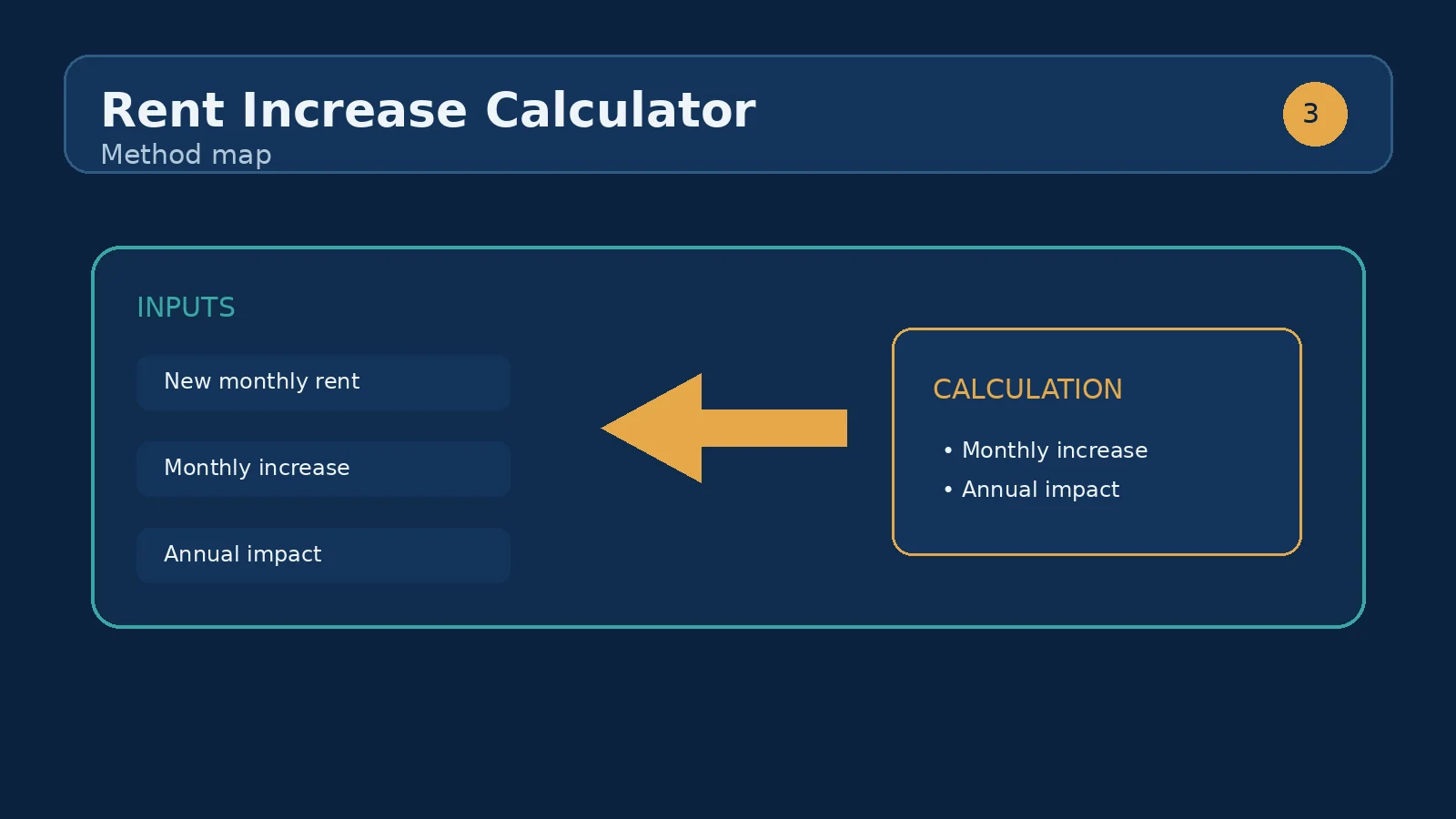
The calculation begins with the current monthly rent. The proposed increase is treated as a percentage of that rent, so a 5% change on $1,800 is $90, not $5. The resulting new monthly rent is $1,890. The annual impact is the monthly increase multiplied by 12, which is $1,080 in this example. Because the component displays currency-formatted results, use the result cards as planning figures rather than as a substitute for reviewing the actual notice or lease terms.
Current monthly rent is the recurring monthly amount you want to use as the baseline. Enter the amount before applying the proposed change. If your housing payment includes separate utilities, parking, storage, or service charges, decide whether those amounts belong in the baseline before comparing scenarios. The field accepts a non-negative number and shows a dollar prefix, so enter 1800 rather than including a currency symbol.
Proposed increase is the percentage change you want to test. The field displays a percent suffix and supports half-point steps, making values such as 4.5%, 5%, and 5.5% natural comparisons. Enter 5 for five percent, not 0.05. The calculator applies the value directly as a percentage: current rent multiplied by one plus the percentage divided by 100. A zero increase leaves the rent unchanged, while a negative value would mathematically reduce it, even though the component does not present a separate decrease mode.
The monthly increase is calculated as current monthly rent × proposed increase ÷ 100. The new monthly rent is current monthly rent + monthly increase, or equivalently current monthly rent × (1 + proposed increase ÷ 100). The extra per year is monthly increase × 12. These are direct percentage calculations, not compound increases: the proposed percentage is applied once to the current rent entered in the field.
For example, with a $2,400 current rent and a 3.5% proposed increase, the monthly increase is $84. The new monthly rent is $2,484, and the extra per year is $1,008. The annual figure assumes the new amount applies for all 12 months. If a change begins partway through a year, multiply the monthly increase by the number of affected months separately when building a real cash-flow estimate.
Suppose the current monthly rent is $1,800 and the proposed increase is 5%. First calculate the change: $1,800 × 0.05 = $90. Then add it to the baseline: $1,800 + $90 = $1,890. Finally, annualize only the difference: $90 × 12 = $1,080. The result cards should therefore read New monthly rent: $1,890, Monthly increase: $90, and Extra per year: $1,080.
This scenario is useful because each output answers a different planning question. The new monthly rent is the recurring amount to compare with income and other expenses. The monthly increase is the immediate change from the old payment. The extra per year shows the scale of the change over twelve months, but it is not an additional bill due all at once. If the increase applies for only six months in the first year, the first-year difference would be $540 rather than $1,080.
A percentage can feel small while producing a meaningful cash difference at a higher starting rent. On a $1,200 baseline, 2% adds $24 per month and $288 per year; 5% adds $60 per month and $720 per year. On a $2,400 baseline, the same percentages add $48 and $120 per month, or $576 and $1,440 per year. The percentage is identical in each pair, but the dollar consequence doubles when the baseline doubles.
Use the calculator as a comparison tool by holding current monthly rent constant and changing the proposed increase in half-point steps. A $1,800 rent produces a $72 monthly increase at 4%, a $90 increase at 5%, and a $108 increase at 6%. Comparing the monthly and annual outputs side by side makes the difference between adjacent proposals visible without confusing a percentage-point change with a dollar change.
New monthly rent is the post-increase monthly figure produced by the entered assumptions. It is the number to use when testing whether the recurring payment fits alongside groceries, transport, debt payments, savings, and other obligations. Monthly increase isolates the change, which is helpful when the rest of the budget already reflects the current rent. Extra per year translates that same monthly difference into twelve equal months and is useful for annual planning.
The three values are connected, so they should tell a consistent story. The new monthly rent should equal current rent plus the monthly increase. The annual impact should equal the monthly increase multiplied by 12. If the values seem surprising, check whether the percentage was entered as 5 rather than 0.05 and whether the baseline includes the recurring charge you actually mean to compare. Currency formatting may display rounded cents even when the underlying percentage produces more precision.
The most common input mistake is entering a decimal fraction in the percentage field. Typing 0.05 means 0.05%, not 5%, because the calculator divides the entered value by 100. Another mistake is using an annual rent figure in the current monthly rent field. If annual rent is $21,600, convert it to $1,800 per month before entering it; otherwise every output will be twelve times too large.
Do not annualize the entire new rent when you are trying to measure the increase. For the worked scenario, $1,890 × 12 is the new annual rent, while $90 × 12 is the extra annual cost. Also avoid silently changing the baseline between comparisons. If one scenario includes parking and another does not, the percentage comparison is no longer testing one consistent starting point. Finally, remember that the tool models a percentage change, not a schedule of multiple future increases.
Start by entering the current monthly rent exactly as you want it defined for the comparison. Next enter the proposed percentage and read all three result cards, rather than focusing only on the headline new rent. Record the monthly increase, then multiply it by the number of months for which the change would actually apply if the first period is partial. After that, compare the revised monthly figure with the rest of the household or property budget.
Run at least two alternative percentages so you can distinguish the baseline effect from the percentage effect. If the calculator is being used for a rental property, the next useful step is the rental yield calculator: keep the resulting monthly rent as a possible income assumption, then compare it with the property's purchase price and other operating inputs. That sibling-tool use case extends the calculation without pretending that a rent increase alone determines profitability.
In many jurisdictions yes. Limits on frequency, notice periods, and maximum amounts vary widely, so check your local rules.
Multiply the current rent by one plus the percentage increase. On the defaults, $1,800 × 1.05 = $1,890, a $90 monthly rise.
Multiply the monthly increase by 12. The default $90 monthly increase adds up to $1,080 in additional rent each year.
To the rent only. Additional charges such as utilities or service fees are not factored in. This keeps the calculation clean and lets you treat non-rent costs separately.
Compare the size of the increase against local rules and the market rate for similar properties nearby. If it far exceeds both, that is worth pushing back on before agreeing to the new figure.
Enter the percentage number itself. Type 5 for a 5% increase and 4.5 for a 4.5% increase; do not type 0.05.
Monthly increase is the added amount for one month. Extra per year assumes that same added amount applies for 12 months, so it is monthly increase multiplied by 12.
No. It performs the percentage arithmetic only. Review the applicable agreement, notice, and local requirements separately for questions about permission, timing, or procedure.
Yes. A zero increase produces the same new monthly rent as the current monthly rent and zero for both change outputs.
The annual output represents twelve months. For a partial first year, multiply the displayed monthly increase by the number of months affected in that first period.
Yes. Keep current monthly rent unchanged and enter each proposed percentage in turn. Compare the new monthly rent, monthly increase, and annual impact for each scenario.
The notice may use a different baseline, include or exclude separate charges, apply rounding, or cover a partial period. Confirm the starting rent and effective period before comparing figures.
Find true market rent, price the cost of tenant turnover, and pick the increase that maximises income after vacancy — a framework with worked examples.
How we calculate: calcRentIncrease in calculators.ts; regression checks in calculators.test.ts
Last reviewed: . Learn more about Nirmal Lashkari and LashkariProperties.
Disclaimer: This calculator provides estimates for informational purposes only and is not financial, tax, or legal advice. Verify figures with a qualified professional before making decisions.